
01
A catalog that stays useful
Search, tags, favorites, card and compact views. Every user sees the apps they can actually access — nothing else.
Search applications⌕
★ Favorites ⌘ Group by tag
Give your team one secure, searchable place for every internal app — with Microsoft sign-in and access that stays under your control.
From finding the right app to keeping access under control. See the real product, in English or Italian.
Real software, fictional workspace. AI-generated narration. Public release in preparation; the code repository is not yet public.
Tools multiply. URLs change. Permissions drift. People lose time asking where things live — and IT keeps maintaining bookmarks nobody trusts.
Frontdoor turns that sprawl into a launchpad people actually use.
A focused experience for the whole organization, backed by the controls administrators need.
Search, tags, favorites, card and compact views. Every user sees the apps they can actually access — nothing else.
Authenticate through Microsoft Entra ID and provision people automatically on first login.
Map apps to local or Entra groups, including inherited group membership.
Launch plain links, forward signed SSO tokens, share a secure cookie, or open native Entra apps.
Manage apps, people, groups, branding, logs and backups from one clean interface.
Customize the experience, choose what to log, export a complete backup, and keep the service on infrastructure you control.
Less searching for people.
More clarity for IT.
Explore six moments from the product.
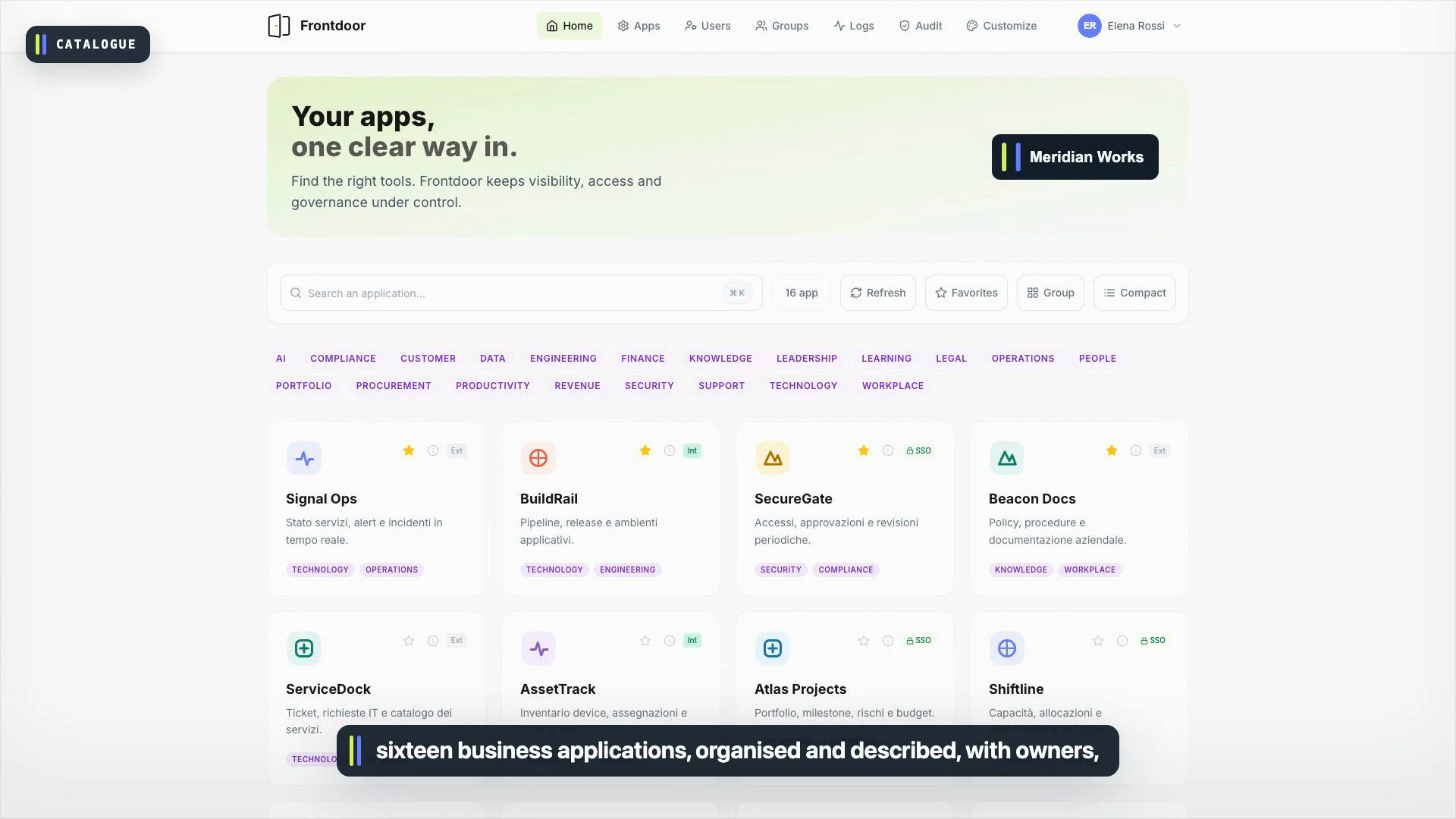
One searchable home for the tools your team uses. Tags, favorites and clear descriptions turn a list of links into a useful starting point.
View full-size image ↗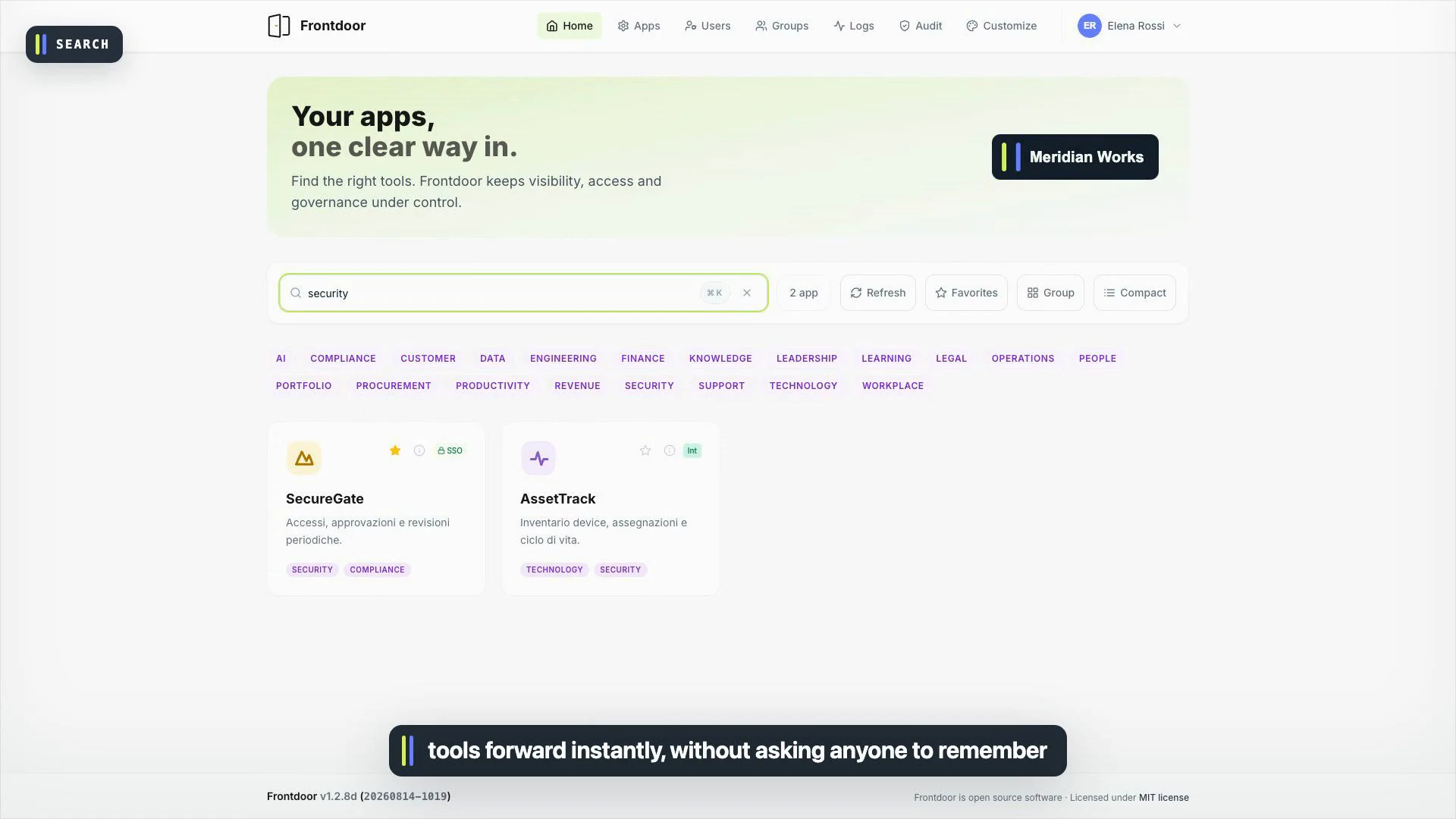
Search narrows the catalog instantly. No need to memorize a product name or ask where the latest URL lives.
View full-size image ↗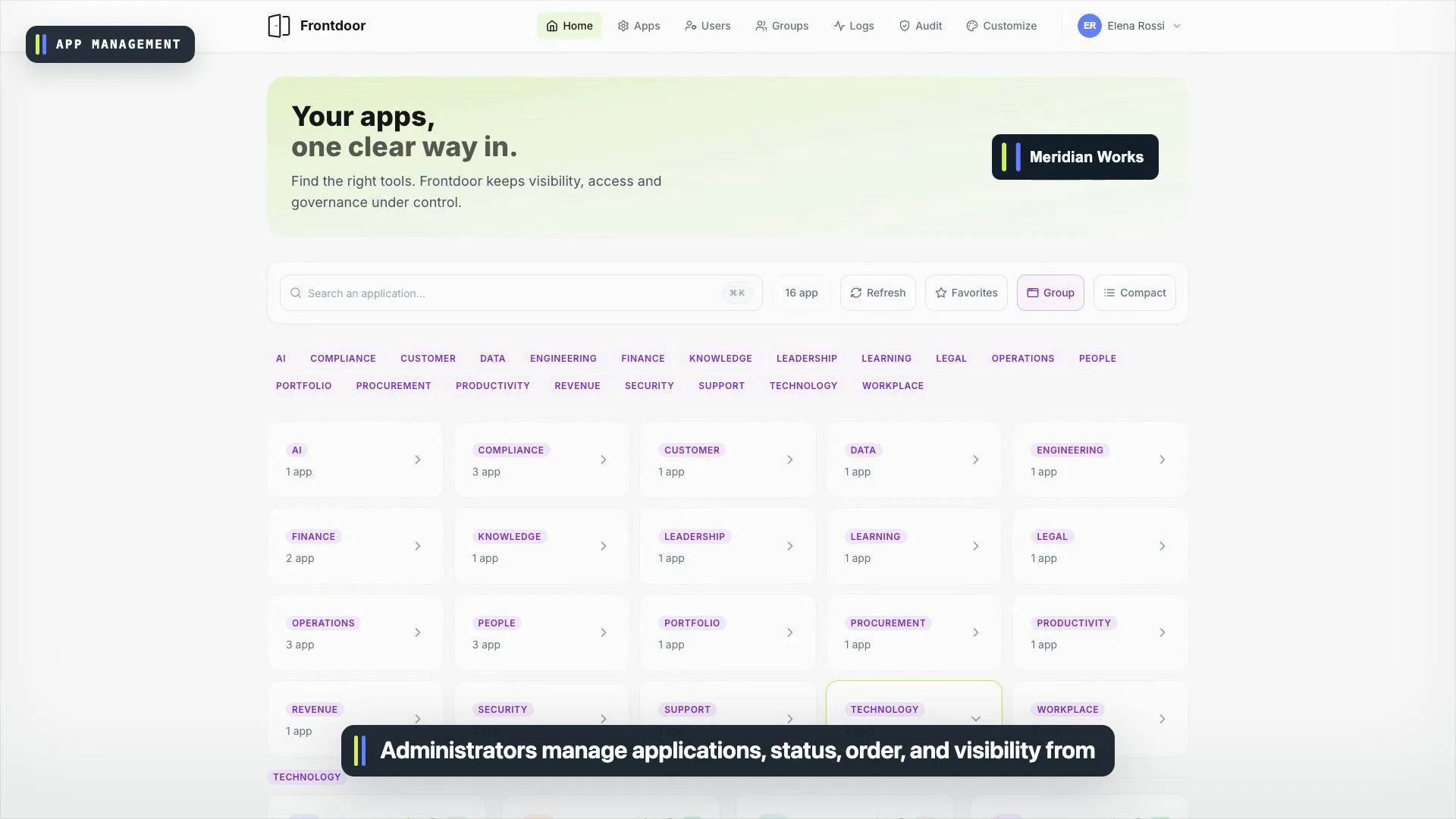
Manage applications, visibility and destinations in one place. An explicit configuration replaces scattered bookmarks and stale spreadsheets.
View full-size image ↗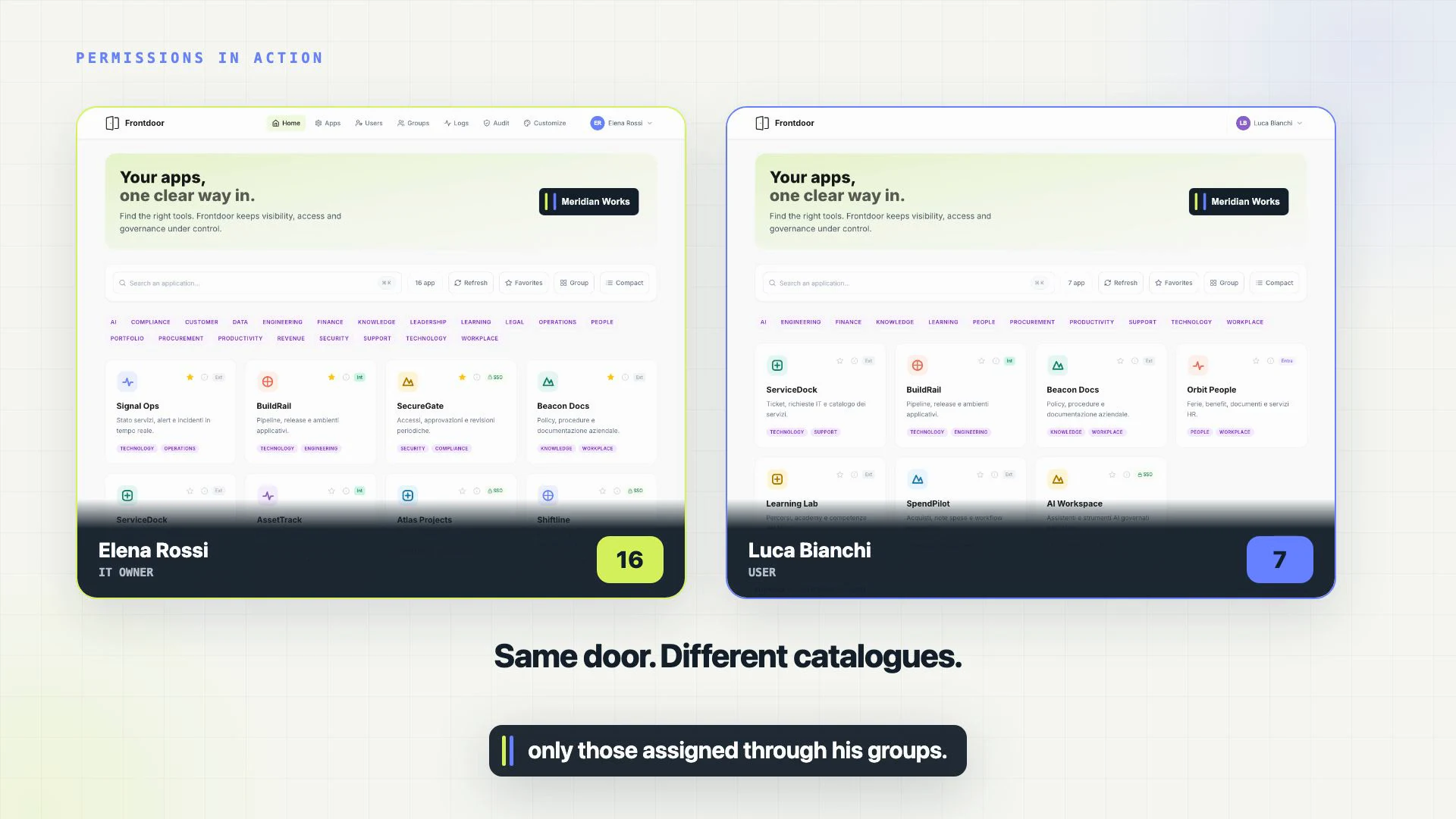
In our demo, the IT owner sees sixteen apps; a team member sees seven. Group assignments make the catalog relevant to the person signing in.
View full-size image ↗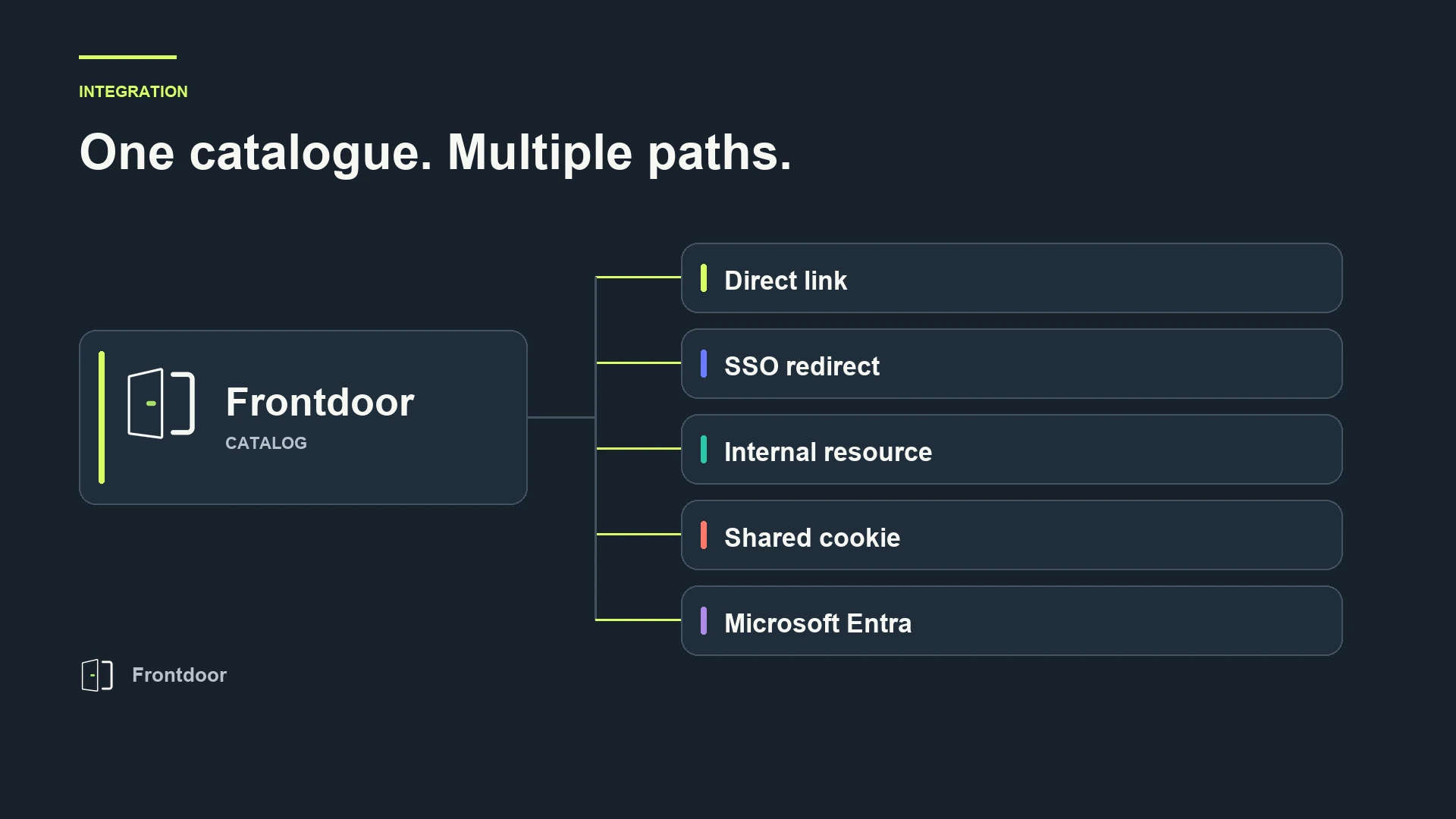
Direct links, signed SSO, shared sessions or Microsoft Entra: pick the connection that fits each application.
View full-size image ↗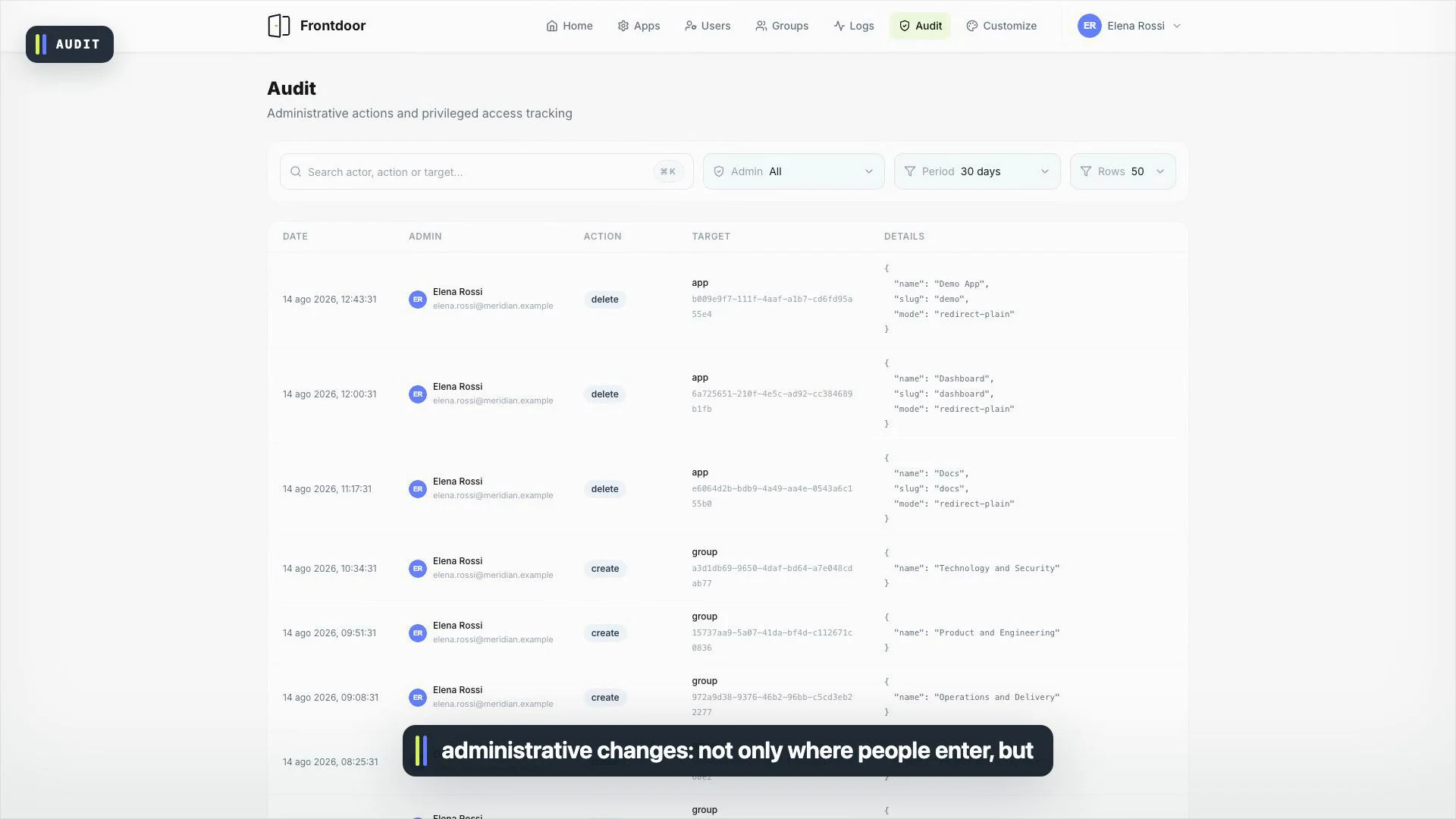
See how the configuration evolves, with a dedicated audit view for administrative actions. Visibility doesn't stop at the sign-in screen.
View full-size image ↗Captured in our demo workspace · Select an image to see it in full detail.
Frontdoor is designed to fit an existing stack instead of forcing a new one.
Deploy the Docker image on your server or cloud platform with persistent storage.
Add your Entra application credentials and choose the owners of the workspace.
Import or create apps, assign groups, and pick the connection mode that fits each tool.
Your team signs in and gets a personal, permission-aware app catalog.
$ docker compose up -d

✓ frontdoor  Started
✓ database   Ready
✓ gateway Listening on :3001Frontdoor keeps identity at Microsoft, sessions away from browser scripts, and authorization close to the apps it protects.
Signed JWTs are stored in httpOnly cookies, never exposed to frontend JavaScript.
Privileged actions have a dedicated audit trail with configurable retention.
Parameterized queries, sanitized SVG content, CSRF state validation and rate limits are built in.
Your catalog, database and operational data stay in the environment you choose.
The public open-source release is in preparation. Follow BuildBandits on GitHub to see Frontdoor as it opens up.
Follow the project